How to Use Zerion API with AI Agents: MCP, Skills, and More
Zerion API gives AI agents instant access to normalized wallet data across EVM and Solana. This post will show you how to get started.

To be useful in crypto, AI agents need to access onchain data. Without seeing balances, transaction history, and DeFi positions, they're working blind.
Zerion API solves this. Built for human developers, it also gives agents instant access to normalized wallet data across EVM and Solana. This post will show you how to get started.
What Zerion API does
Zerion API provides comprehensive, interpreted wallet data through a single connector:
- Token balances and prices across all major EVM chains and Solana
- Transaction history with clear labels
- DeFi positions from 8,000+ protocols, including lending, liquidity pools, staking, and more
- NFT holdings and collections with metadata and floor prices
- PnL for any address and its token positions
The data is normalized into a consistent schema. Your agent gets the same structure whether it's querying Ethereum, Base, or Solana.
Why it works
Agents need context to be helpful. When you ask "What's my portfolio worth?" or "Show me my recent trades," the agent needs accurate data fast.
More importantly, an AI agent needs interpreted data. Dealing with raw blockchain data would waste tokens and slow it down.
Zerion API takes care of that. All data for positions and transactions are already interpreted and ready-to-be used. Created for consumer interfaces, the same endpoints suit AI agents exceedingly well.
Other AI agents already use it
Zerion API already powers onchain data for some of the leading AI agents in crypto.
- AskGina helps users understand their onchain activity through natural language queries. It uses Zerion API to pull transaction history and explain complex DeFi interactions in plain English. Gina has access to all endpoints and selects the most useful ones to answer user prompts.
- Pigeon is an AI wallet that interprets user intent and executes transactions. Zerion API provides the wallet context Pigeon needs to make smart suggestions.
- HeyElsa offers conversational access to onchain crypto. Users ask questions about their portfolio in natural language, and Elsa responds with accurate numbers pulled from Zerion API.
How to get started
Start by creating a free API key. The process takes less than a minute. The free plan will give you up to 10 calls per second and 2,000 calls per day.
Once you have your key, you can integrate Zerion API into your agent platform.
The easiest way to give Zerion API to agents is via Claude: in Claude Code, Cowork, or open-source OpenClaw (fka Clawd and Moltbot). All you need are Zerion’s MCP and Skills.
Model Context Protocol (MCP)
The Zerion MCP server connects Claude (or other LLM) directly to onchain data.
- Open Claude, Settings → Connectors → Add custom connector
- Click “Add Custom Connector”, enter name and remote RPC URL: https://developers.zerion.io/mcp
- In Advanced settings, leave OAuth field empty
- Set tool permissions to “Always allow.”
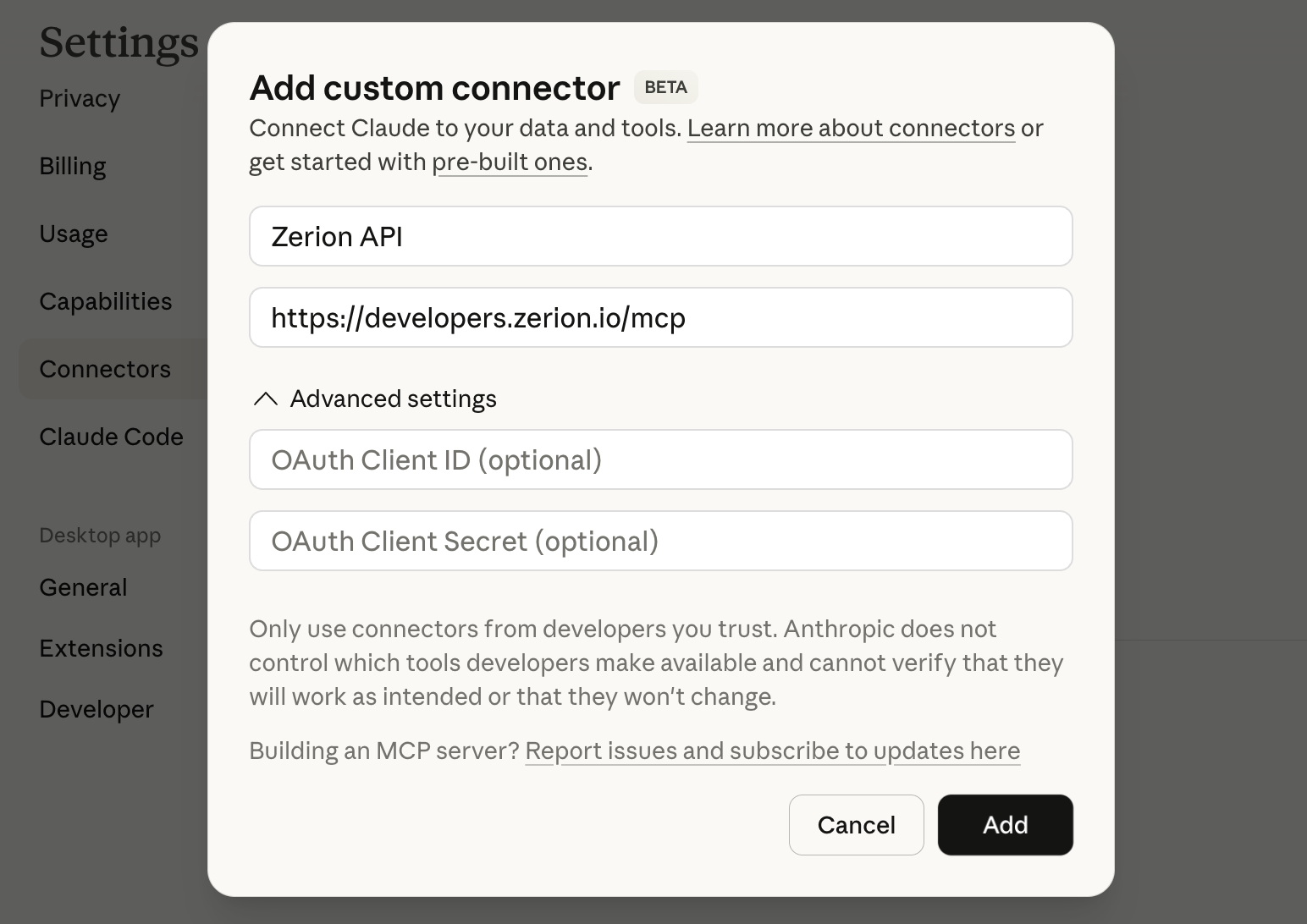
That’s it. To try it out without complex configurations, "Use my Zerion API key (give it once in that conversation) to get the portfolio for wallet 0x....”. For more security, you should store your key in an environment variable.
Your agents will now be able to query wallet information in real-time during conversations. You can make it even easier for them by adding Skills.
Claude Skills
Even without Skills, Claude can access Zerion API. To make it easier for it, you can add a Skill, which will explain the API and authentication process.
We created a sample Zerion API Skill to help you get started:
- Download the Skill from Clawhub
- In Claude, go to Settings → Capabilities → Skills
- Upload the Skill you just downloaded
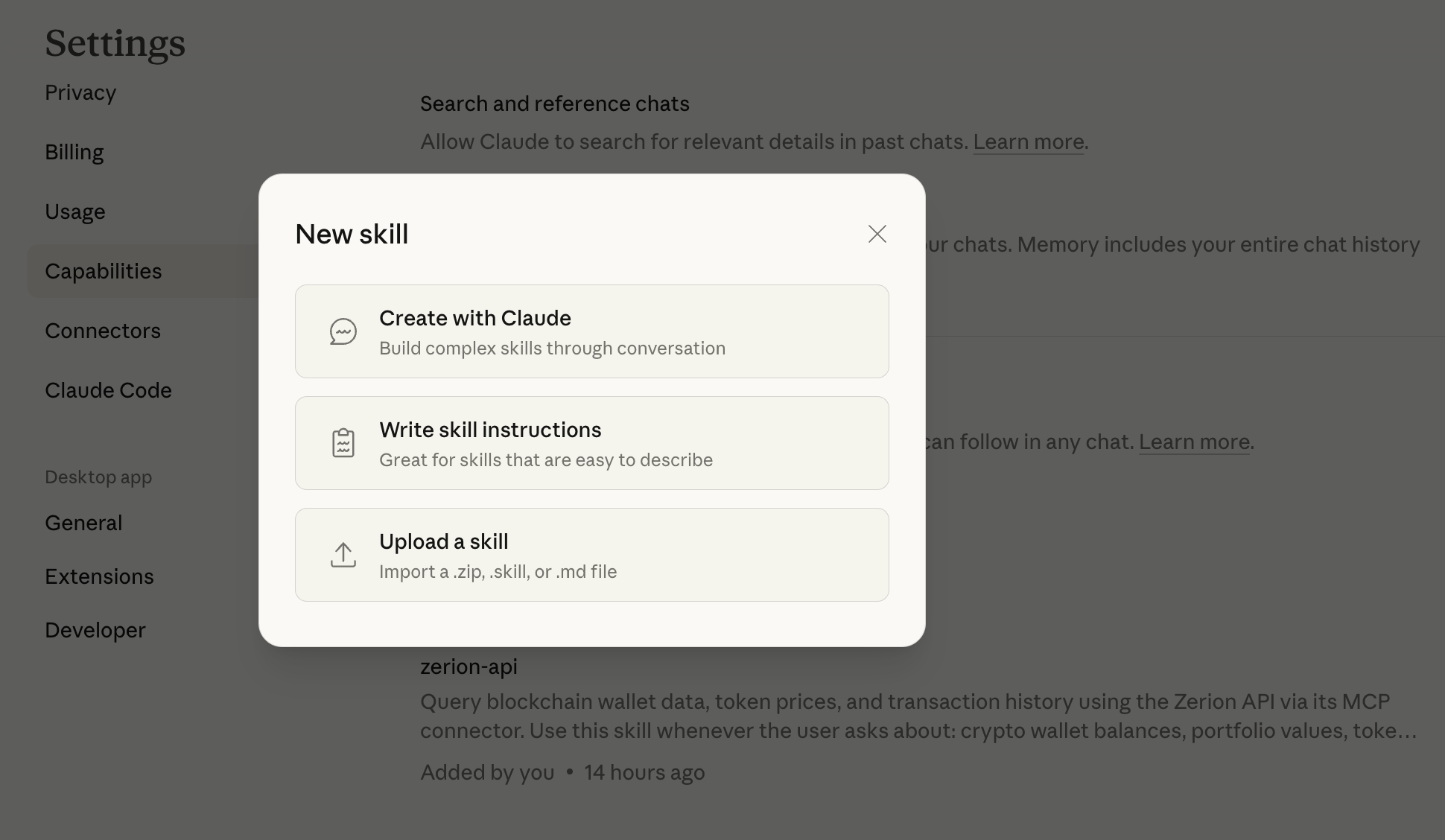
That’s it. After adding the Skill, Claude will now use it to answer prompts.
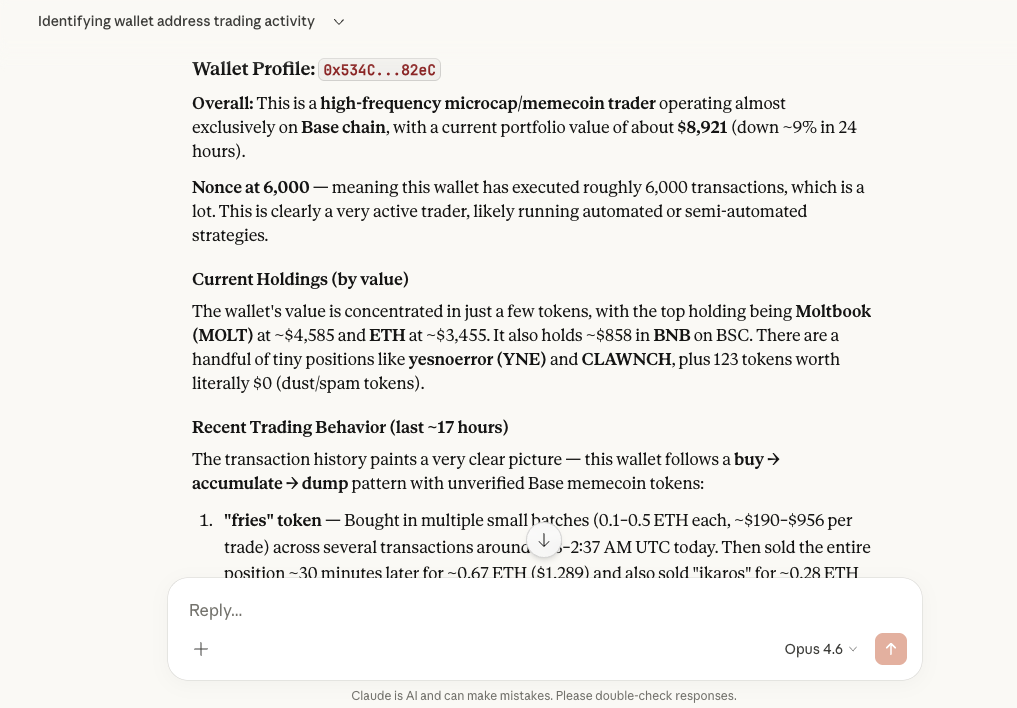
With MCP + Skill, Claude can even create useful artefacts that could help you with onchain analysis.
For example, here's a profile for a wallet address based on a simple prompt:
You can also teach Claude by giving links to Zerion API docs and using Claude’s skill-building Skill. It's a great way to create a skill for your unique use cases.
What’s next
This is just the beginning.
We’re building Zerion API with AI agents in mind as first-class citizens. Expect agent plugins, onchain payment protocols, custom integrations, and more. Sign up for Zerion API dashboard to get your free key and stay up to speed.