Monad in Zerion: Buy, Bridge & Explore Dapps
Whether you want to buy your first MON tokens, bridge liquidity, or explore emerging apps in the Monad ecosystem, you can now do it all directly inside Zerion. Here’s everything you need to know.
 Vladimir Shamanov
2 min read
Vladimir Shamanov
2 min read
Monad mainnet is finally here! And Zerion is a wallet that supports it from day one. Whether you want to buy your first MON tokens, bridge liquidity, or explore emerging apps in the Monad ecosystem, you can now do it all directly inside Zerion. Here’s everything you need to know.
What Is Monad?
Monad is a high-performance Layer-1 blockchain built for speed, parallel execution, and a next-generation EVM experience.
Developers get the familiarity of Ethereum tooling with the performance of a highly optimized L1. Users get a smoother, faster onchain experience with ultra-low fees.
In short, Monad brings EVM apps into a new performance era without sacrificing decentralization.
The best wallet for Monad: Zerion
Zerion supports the Monad mainnet from day one.
That means you can:
- Store and track $MON and all Monad-based tokens.
- Bridge in and out of Monad without leaving the app.
- Trade and track assets across chains, including Monad.
- Access Monad dapps directly in Zerion’s mobile b,If you want the smoothest way to explore Monad, Zerion is the wallet to use.
How to buy Monad (MON) in Zerion
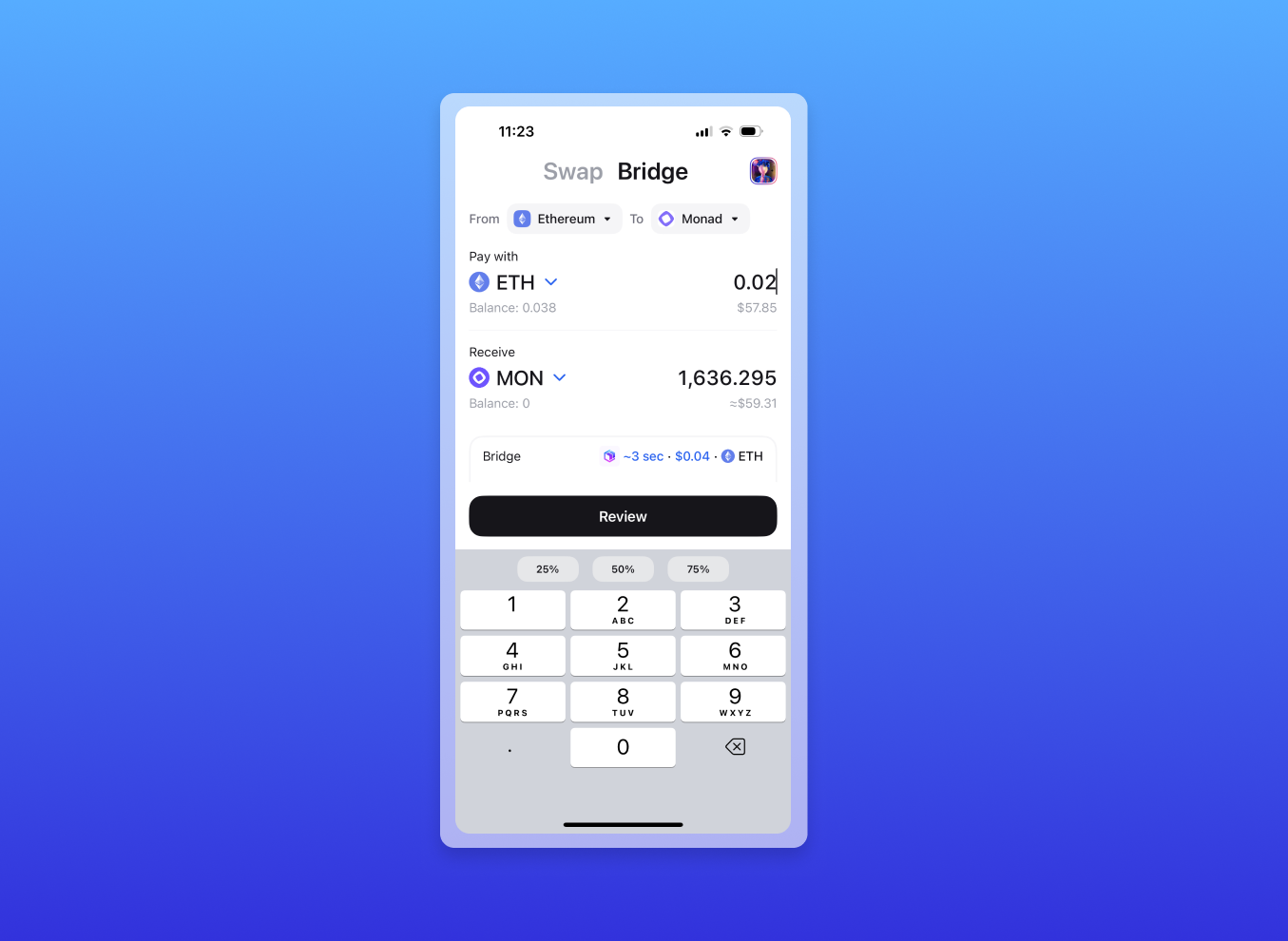
The easiest way to buy MON is by bridging and swapping in one transaction with Zerion:
- Open Zerion Wallet
- Open the swap/bridge and select bridge
- In the bridge form, enter the asset to send and the chain from which to send
- As the ‘To’ chain, select Monad and MON as the asset to receive
- Enter the desired amount
- Sign the transaction
In a few minutes, your MON will automatically show up on the Monad chain in the same address. While Monad is extremely fast, your ‘from’ chain might take a few minutes to process the transaction.
How to bridge tokens to Monad via Zerion
You can also bridge other assets to Monad, including USDC, wBTC, and USDT0. However, liquidity might be low where there is a lot of demand.
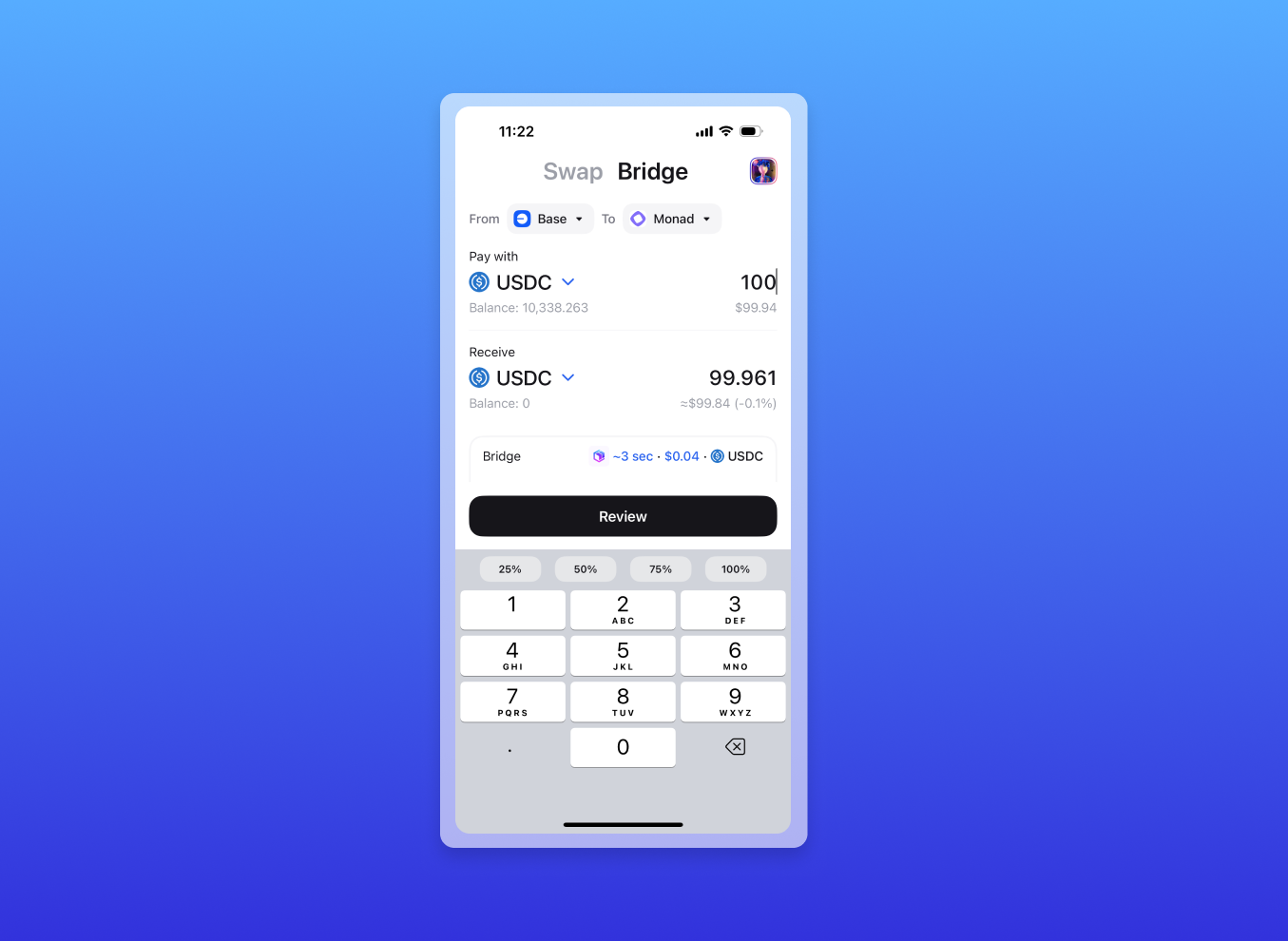
Here’s how to bridge USDC to Monad:
- Open Zerion Wallet
- Open the swap/bridge and select the bridge
- Select USDC as the asset to send and receive
- Select the chain from which to send and Monad as the ‘To’ chain
- Sign the transaction
Use Monad apps directly in Zerion’s mobile browser
Monad’s app ecosystem is growing fast, and Zerion makes exploration simple.
Just open the in-app browser on mobile and access your favorite Monad dapps — DEXs, yield apps, NFT platforms, and more — all with your Zerion Wallet connected instantly and securely.
And if you’re building on Monad, you should try Zerion API for Monad, the easiest way to get Monad wallet data, including balances, positions, transactions, and more.
To sum up: Just use Zerion
Monad is live, and Zerion gives you everything you need to dive in:
- Buy MON
- Bridge to Monad
- Track your positions
- Explore Monad apps
- Manage your portfolio across every chain
Download Zerion and start exploring Monad today.

Written by
Vladimir ShamanovVladimir has been working full-time in blockchain and crypto since 2018. Before that, he was in financial communications. He holds a BSc in Management from the LSE.
More from Vladimir Shamanov