How to Swap on Elysium
Zerion finds the best routes to swap tokens on Elysium, Hyperliquid’s L2.

If you already have HYPE on Elysium and want to buy some new tokens, you can swap it directly in Zerion. Just remember to keep some HYPE for gas for future transactions.
Zerion supports Elysium from day one and compares trading routes across the chain. In this guide, you’ll see how to swap on Elysium in the Zerion web app and on mobile.
What is different about swapping on Elysium
Elysium is Hyperliquid’s L2, with mainnet live since November 9, 2026\. Before your first swap, here are four things to know:
- Gas is paid in HYPE. You don’t need a separate gas token when trading HYPE. If you use Max, check how much HYPE you’ll have left for future transactions.
- Swaps confirm fast. Elysium has 100 ms blocks with full finality when the batch settles on HyperEVM.
- Liquidity is new. Some early pools can be shallow, so price impact and slippage can be high. Check the quote before you sign, especially for a larger trade.
- Token names can be copied. Anyone can create a token with a familiar ticker. Double-check the contract address before buying the token.
Before you swap: get HYPE on Elysium
You need HYPE on Elysium to pay for gas.
With Zerion, you can also swap a token on another chain and bridge it to Elysium in the same transaction, when a route is available.
How to swap on Elysium with Zerion
Zerion compares available routes across decentralized exchanges (DEXs) and aggregators on Elysium. You can review quotes in your wallet without visiting each trading venue separately.
Choose the token you want to sell, the amount, and the token you want to receive. Before confirming, check the quoted amount alongside the fees and price impact.
In the Zerion web app
- Open the Zerion web app and choose your wallet.
- Click Swap and set the network to Elysium.
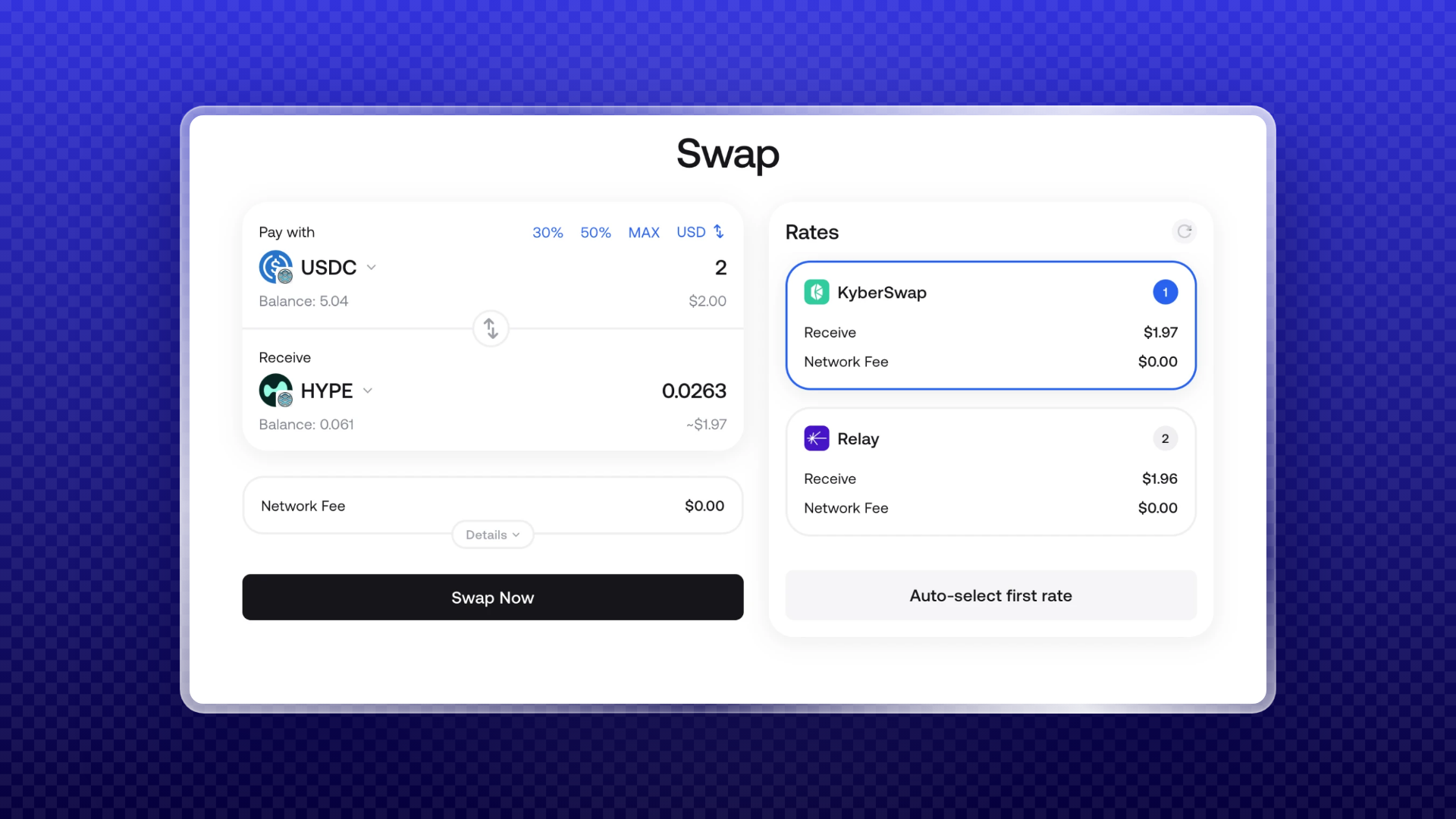
- Choose the token and amount under Pay with, then select your token under Receive.
- Check the exchange rate, network fee, price impact, and amount you will receive.
- Approve token access if prompted, then click Sign and send.
In Zerion Wallet on mobile
The steps to swapping on Elysium in Zerion Wallet on mobile are almost the same:
- Open Zerion Wallet and tap Swap.
- Choose Elysium, then set your Pay with and Receive tokens and the amount.
- Review the quote and approve token access if prompted.
- Tap Send, then Confirm.
Always check the token’s contract address. Copy it from the project’s own channel or an explorer rather than relying on a name in the search results.
Check your swap and your Elysium balance
After the swap, your tokens appear in your Zerion portfolio alongside your assets on other chains. Filter by Elysium to see only what you hold there.
Open transaction history to see the swap, the amount received, and the fees paid in HYPE. You can check the completed trade and your remaining balance without leaving Zerion.
Tips for swapping on a new chain
- Start with a small test swap. This is especially useful for a token you haven’t traded before.
- Choose slippage deliberately. A very high setting can make a trade more expensive in a thin pool. Review the setting alongside the quote before confirming.
- Compare quotes as liquidity changes. Liquidity can move between apps during the first weeks after launch. Check the available routes for your next trade instead of automatically returning to the same app.
Building a trading app on Elysium? The balances, prices, profit and loss (PnL), transaction history, and other onchain wallet data you see in the Zerion portfolio is also available through Zerion API.
To start trading on Elysium, download Zerion for iOS, Android, or as a browser extension.
FAQ
Do I need a special token for gas on Elysium?
Elysium uses HYPE for gas. If you’re swapping HYPE, keep some in your wallet to cover this trade and future transactions.
How do I get HYPE onto Elysium?
You can bridge HYPE from HyperEVM or use an available cross-chain route in Zerion. See how to bridge to Elysium for the steps.
Which DEXs can I use on Elysium?
Zerion compares available routes across DEXs and aggregators on Elysium, so you don’t need to visit each one separately. Check Swap for the routes available for your token pair.
How much does a swap on Elysium cost?
Network fees are paid in HYPE and are low. Review your quote for the network fee, trading fees, price impact, and amount you’ll receive before signing.
Can I swap from another chain directly into Elysium tokens?
Yes, when Zerion shows an available cross-chain route. You can send a token from another chain and receive the token you want on Elysium in one transaction.

Written by
Vladimir ShamanovVladimir has been working full-time in blockchain and crypto since 2018. Before that, he was in financial communications. He holds a BSc in Management from the LSE.
More from Vladimir Shamanov