How to Bridge to Elysium
Here is how to move HYPE and tokens to Elysium with Zerion.

Elysium, the new Hyperliquid L2 by Kinetic, uses HYPE to pay transaction fees. You’ll to bridge HYPE and use it for gas on Elysium. In this guide, we’ll show you how to do this.
Before you bridge
Elysium uses HYPE for gas, the fee you pay to make transactions. You can bridge HYPE from HyperEVM to Elysium at a 1:1 ratio and use it directly for fees.
Your starting point determines how you get there:
- HYPE on HyperEVM: You can bridge directly to Elysium.
- HYPE on HyperCore: Move it to your HyperEVM address in Hyperliquid first.
- Funds on another chain: Use Zerion to find the best cross-chain route to Elysium.
Most people start with crypto on some chain outside the Hyperliquid ecosystem. In that case, Zerion is what you need.
How to bridge to Elysium with Zerion
Zerion’s Bridge compares routes across all major providers and shows you a quote without visiting each bridge separately.
With Zerion, you don’t need to have HYPE. You can swap any token and bridge it to Elysium in the same transaction.
Choose your source network, the asset you want to send, and what you want to receive on Elysium.
In the Zerion web app
- Open the Bridge tab in the Zerion web app and connect your wallet.
- Choose your source network, then select Elysium as the destination.
- Enter your token and amount under Send. Under Receive, select HYPE or the token you want on Elysium.
- Review the amount you will receive, the fees, and the estimated arrival time. Approve token access if prompted.
- Click Sign and send to submit the transaction.
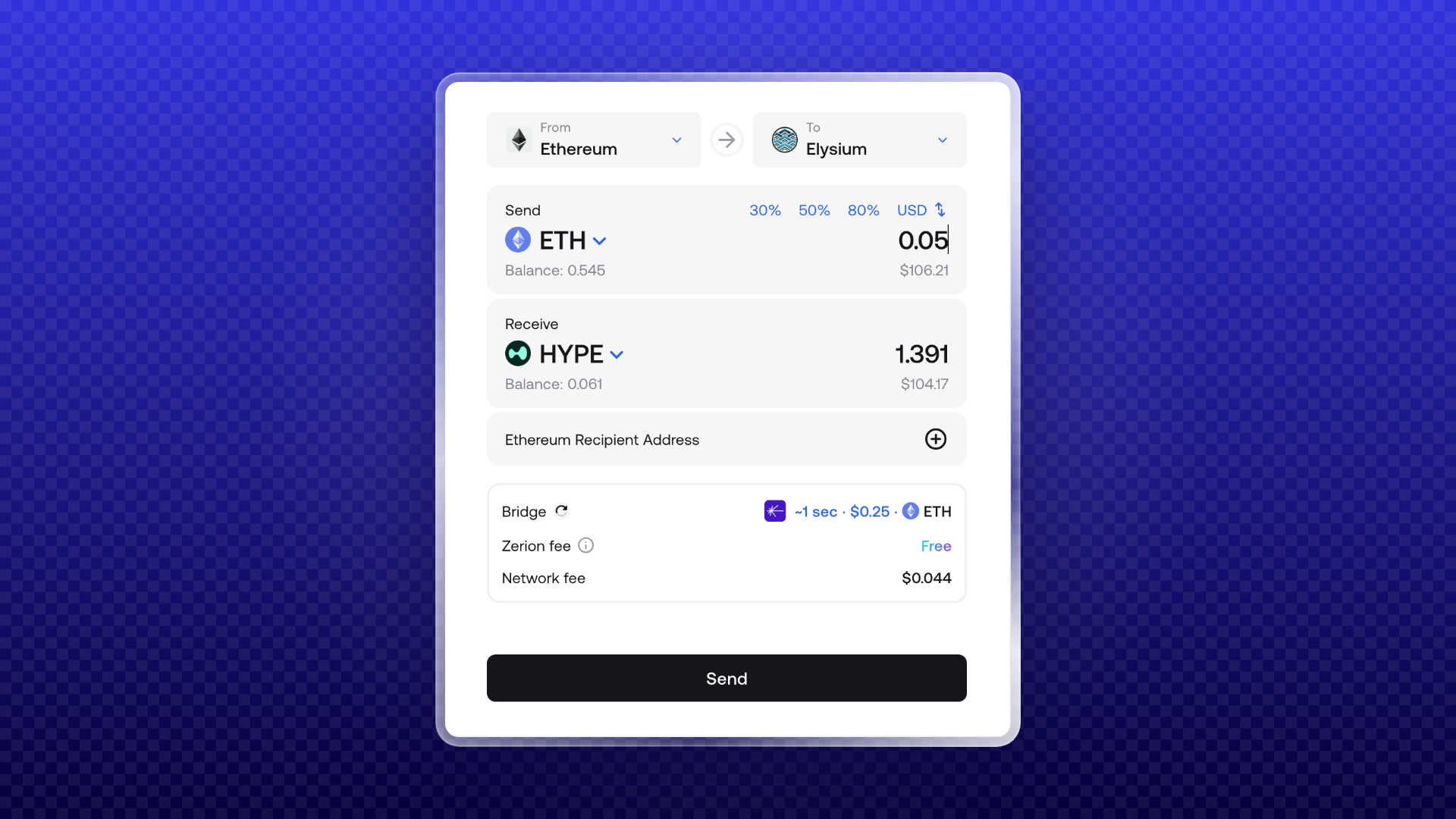
The quote gives you the details to review before signing. Check the receiving token as well as the network, especially if you are starting with an asset other than HYPE.
In Zerion Wallet on mobile
- Open Zerion and tap the swap button.
- Select the source network and asset in Pay with.
- In Receive, tap the globe, type “Elysium,” and select it.
- Check the quote and approve token access if prompted.
- Tap Swap now, then Confirm.
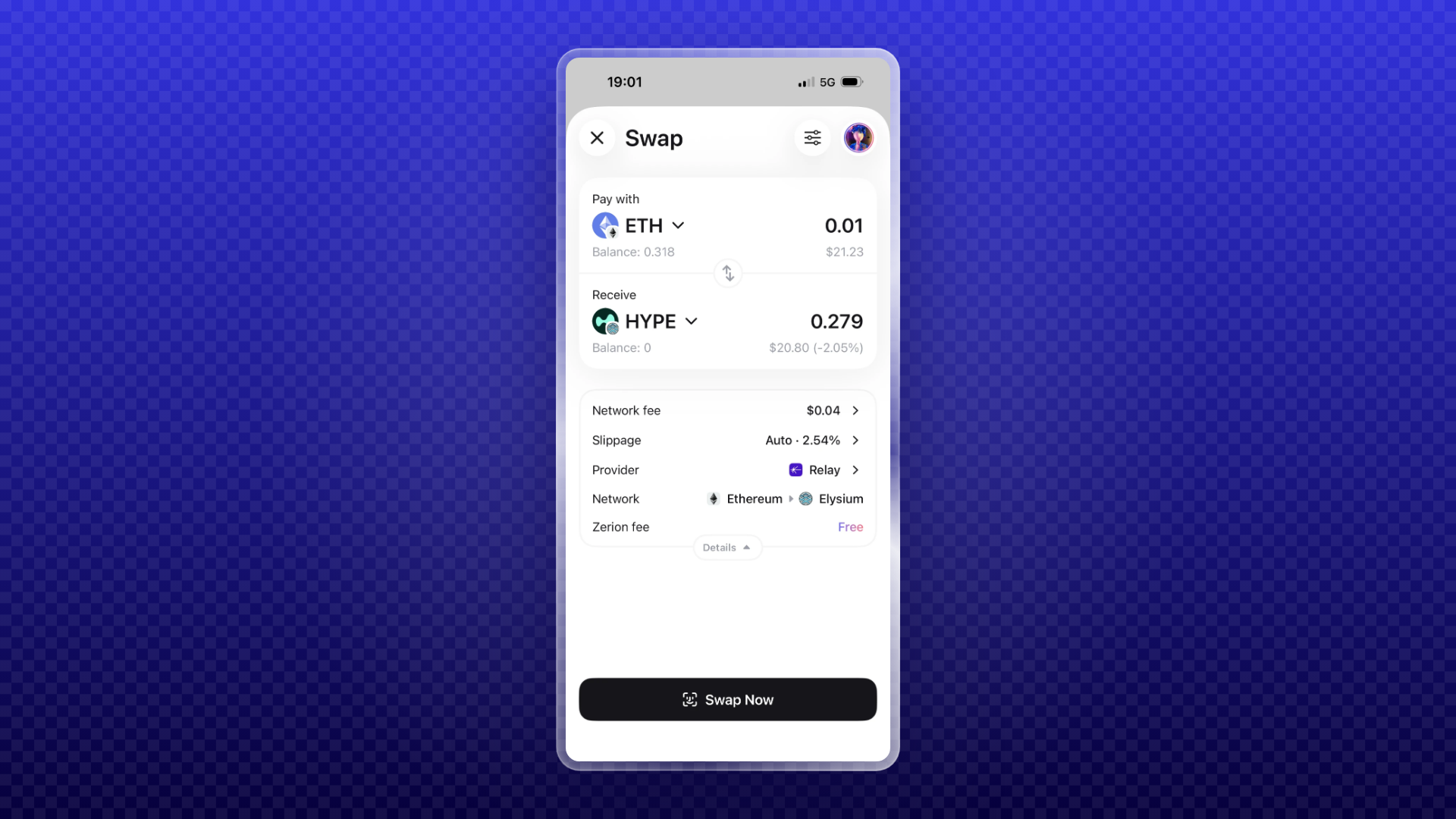
When a route supports it, you can bridge and receive a different token on Elysium in one transaction. If you receive a token other than HYPE, remember that you still need HYPE to pay for transactions on Elysium.
For trading after your funds arrive, see How to Swap on Elysium.
Which tokens can you bridge?
HYPE moves from HyperEVM to Elysium as native token. You receive HYPE that you can use for gas, without a wrapped version.
Standard ERC-20 tokens on HyperEVM can also bridge to Elysium permissionlessly. The bridge mints a 1:1 representation of the token on Elysium. For a route through Zerion, check the quote screen for the assets and routes available to you.
The native bridges do not support fee-on-transfer or rebasing tokens.
For token issuers, Elysium-native tokens can reach HyperEVM and HyperCore through the mirror bridge and Core linkage described in Kinetiq’s documentation.
How long does bridging to Elysium take?
The bridge quote in Zerion also includes an estimated time.
Arrival time depends mainly on the source chain and bridge provider, so different routes can take different amounts of time.
Deposits from HyperEVM arrive quickly, and Elysium confirms transactions quickly once the deposit lands.
How to bridge from Elysium back to HyperEVM
You can withdraw through the native bridge or check Zerion for a third-party route.
With a native withdrawal, the bridge burns your HYPE or token on Elysium and releases the corresponding funds on HyperEVM after the challenge period. Starting the withdrawal does not make the funds immediately available on HyperEVM. Check the period shown in the bridge interface before confirming.
Third-party routes available through Zerion may offer a faster transfer for a fee.
Select Elysium as your source network and HyperEVM as your destination, then review any available quote. Compare the amount received, total fees, and estimated time with the native withdrawal option.
Remember to keep some HYPE available for Elysium fees.
Find your Elysium balance
Once your funds arrive, your Elysium assets appear alongside your assets on other networks in Zerion. Filter your portfolio by Elysium to see your holdings on that chain.
Open your transaction history to find incoming bridge transfers. You can use the portfolio view to check your balance and the history to see the transfer that brought it there.
To send HYPE on Elysium, select it, enter the recipient and amount, and review the transaction. The fee comes from the same HYPE balance, so leave enough to cover it.
The data behind your Elysium portfolio
Tracking your funds after a bridge requires balances and transaction history for the destination chain.
Zerion API supports Elysium from day one, with balances, prices, positions, profit and loss (PnL), and transaction history.
Builders can access this data through the same endpoints used for Ethereum, Solana, Base, Robinhood Chain, and other supported networks. That means you can add Elysium wallet data to your app without running a node or building an indexer.
Download Zerion for iOS, Android, or your browser, then check Bridge for Elysium routes. Once your funds arrive, continue with How to Swap on Elysium.
FAQ
Do I need a special gas token for Elysium?
Elysium uses HYPE for gas. Keep some HYPE on Elysium for transaction fees. You also need the source chain’s gas token to bridge in, which is HYPE if you are sending from HyperEVM.
Can I bridge HYPE from HyperCore to Elysium?
Move your HYPE to your HyperEVM address in Hyperliquid first, then bridge to Elysium. You can also check for a route that supports your starting point directly.
How long do withdrawals from Elysium take?
Native withdrawals must wait through a challenge period. Check its duration in the bridge interface. Third-party routes may be faster; use the estimated time and fees shown in your quote.
Can I see my Elysium balance in Zerion?
Yes. Zerion supports Elysium balances from day one. Filter your portfolio by Elysium to see your assets, and open transaction history to find your incoming bridge transfers.

Written by
Vladimir ShamanovVladimir has been working full-time in blockchain and crypto since 2018. Before that, he was in financial communications. He holds a BSc in Management from the LSE.
More from Vladimir Shamanov