Zerion API Dashboard: Self-Serve Plans, Usage, and Spending Limits
With the latest update, you can also enable overages: go beyond your subscription plan and manage costs with spending caps.
 Vladimir Shamanov
3 min read
Vladimir Shamanov
3 min read
Zerion API Dashboard is the self-service platform that lets anyone create API keys, monitor usage, manage subscriptions, and more.
With the latest update, you can also enable overages: go beyond your subscription plan and manage costs with spending caps.
We’ll get into details, but first let’s do a brief recap of what Zerion API Dashboard is.
What's in Zerion API Dashboard
Initially, you could only access Zerion API after chatting with someone to enable the keys.
In Zerion API’s Dashboard, you can do everything on your own, fast and 24/7.
- Select plans. Pick a tier, pay by card or crypto, upgrade when you're ready. No mandatory demo calls (although we’re always happy to chat!).
- Usage stats. Request volume over time, broken down by endpoint, so you can see which part of your integration drove a spike rather than just noting that one happened.
- Manage API keys. Create, rotate, and revoke keys so staging and production aren't sharing one credential nobody wants to touch.
- Alerts on usage. Automatic notifications at 50%, 80%, and 100% of your monthly quota. You should never learn about a limit from your error logs.
- Roles for your team. Invite teammates so engineers see usage and whoever handles finance handles billing.
- Billing you control. Payment details, invoices, plan changes, all without asking us.
Sign up, get an API key, read the docs, and ship.
The one thing you couldn't do yourself (until now)
Previously, when you’d hit the limit on your subscription plan, every request after it returned 429.
Your app stopped working, and the only way through was to email us and wait. Alternatively, you could upgrade your subscription. But that would lock in a higher plan to cover a spike that might be temporary.
Now with the latest update, you can enable spending caps and go beyond your plan’s limit with zero downtime.
Spending limits you set
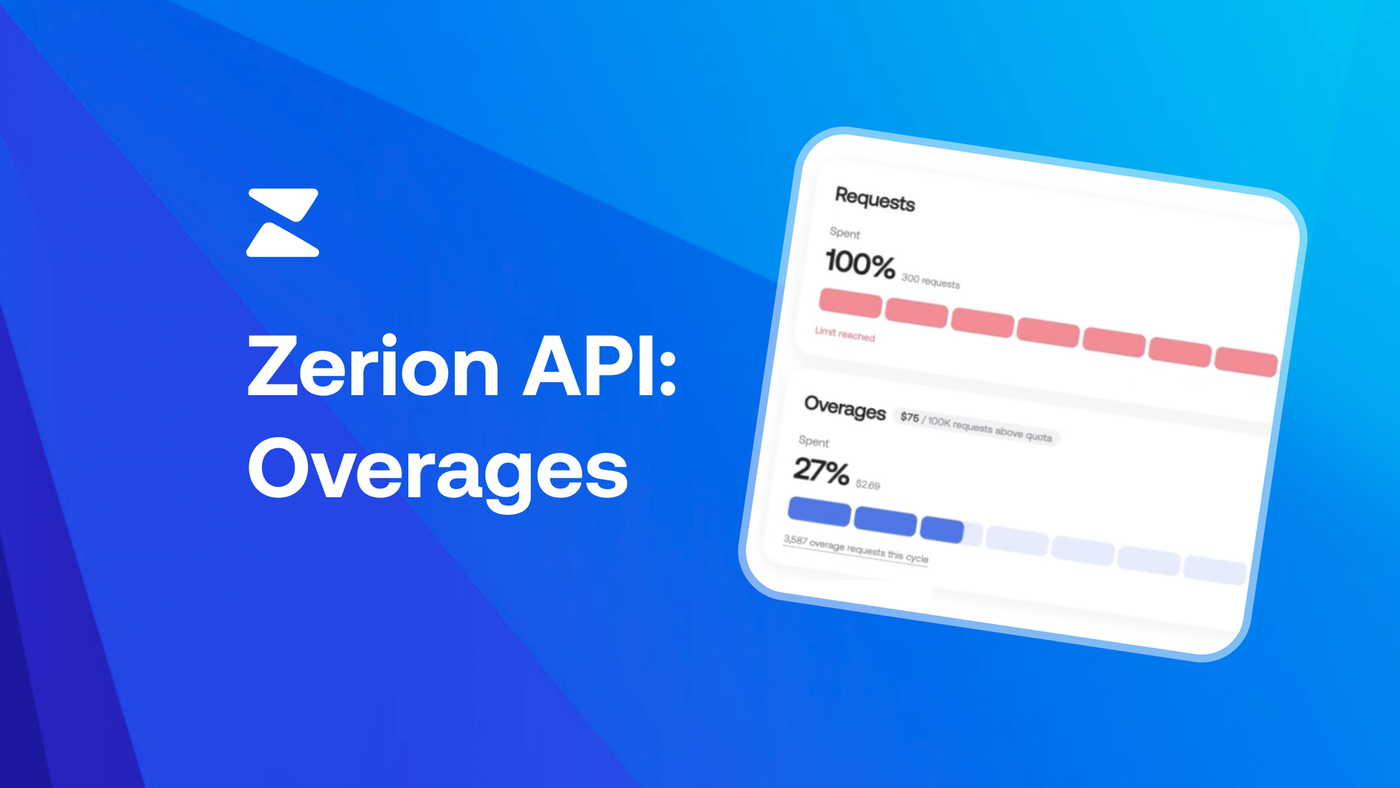
With “Overages” in the Zerion API Dashboard, you can keep making requests past your plan's quota, billed per request, up to a spending cap you set.
The spending cap is required. You choose a monthly limit when you switch overages on. This way, you don’t have to worry about an astronomical bill if your app gets under a DDoS attack (or if your AI agent gets stuck in a loop).
Above your quota, requests are served and metered against that cap. Once you reach it, your account returns to standard behavior. Your bill will never exceed the number you chose.
Overages in Zerion API Dashboard
A few notes about how this works:
- Off by default. If you never touch it, nothing about your account changes.
- A suggested cap. Picking the dollar figure is the hard part, so the dashboard proposes one based on your actual usage. Override it if you like.
- Stay Flexible. When setting a spending cap, you can choose whether it applies only to the current billing cycle or automatically carries over to future cycles. And you’ll only pay for overages once you’ve exceeded the usage included in your plan.
- Live spend. Overage requests and accrued cost appear as they happen, next to your quota chart and days left in the cycle.
- Changeable whenever. Raise your cap, and it applies to your next request. Lower it, or switch overages off, any time.
- Early emails. You'll hear from us when overage spending starts and as you approach your cap, with a one-click way to raise it.
Two caveats to know. Overages extend how many requests you can make, not how fast, so your rate limit stays the same. And overages do not apply to the most advanced endpoints such as DeFi Positions, Wallet Portfolio Chart, and Wallet P&L. If you need more capacity on these endpoints, the Enterprise plan includes custom quotas, volume pricing, and 24/7 support.
How to enable Overages in Zerion API
- Open Plan & Usage in your dashboard
- Switch on overages
- Accept the suggested cap or set your own
- Get back to work
Not on a paid plan yet? Create an account and start on the free tier. No card or demo is required.
What comes next
Soon in Zerion API Dashboard, you’ll find deeper usage analytics, better observability, and more control over your account. If there's something you still have to email us about, tell us what it is: [email protected].

Written by
Vladimir ShamanovVladimir has been working full-time in blockchain and crypto since 2018. Before that, he was in financial communications. He holds a BSc in Management from the LSE.
More from Vladimir Shamanov